The details.
Teachers are fighting for attention.
And attendance still takes time out of every lesson.
72%72% of U.S. high school teachers call cellphone distraction a major classroom problem.
43 min43 min median phone use during school hours, in a youth smartphone study.
68%68% of U.S. adults favor banning phones during class.
60%60% of high school teachers with a phone policy say it’s hard to enforce.
- 1 tap
fits the routine. No daily phone collection.
Pew’s teacher figures are from a survey of U.S. public K–12 teachers.
Most fixes pick one.
Pouch
→ focus only
Roll-call app
→ attendance only
Proctor
→ integrity only
LatchIn: one tap, all three.
Reduce distractions. Improve focus.
From the tap to the bell, only the apps the teacher allows.
Nobody collects phones. Nobody hands them back.
- Locks at the tap
- Teacher picks allowed apps
- Auto-release at the bell
Phone collection:every classnone
of U.S. high school teachers call cellphone distraction a major classroom problem.
Pew Research Center, June 2024median phone use during school hours, in a youth smartphone study.
Common Sense Media, 2023Interactive demo: the teacher’s allowed-apps setting beside a student’s phone that locks when you tap in.
Track attendance.
The tap is the record. The roster fills itself as students walk in.
- 110:00Tap = present
- 210:10After: late
- 310:50Bell
- No roll call
- Late rule applied automatically
- Excused absences handled
Roll call:minutesone tap
Roll-call minutes saved is one of the things a pilot measures.
Interactive demo: a simulated class of 24 tapping in, with a live present / late / absent roster.
Interactive demo: six ways a student might try to cheat, and what the teacher sees for each.
Reduce cheating.
A tap is proof of presence, from the student’s own phone.
You can switch it off.Not quietly.
- Friend’s phone refused
- Lock-off shows on the roster
- New phones need approval
Screen Time off:unnoticedon the roster
Designed for a class. Not the entire day.
Supports teachers without taking students’ phones.
Class-level
Focus starts when class starts.
Phones available outside class.Focus + attendance inside it.
Automated
Attendance and restriction share one action.
Flexible
Teachers can allow essential apps.
Lightweight
NFC stations need no charging.
What the teacher sees.
Four screens, one glance each. The full teacher dashboard is planned.
Demo: the teacher’s Today, Roster, Records and Insights screens with sample data.
Locks the phone. Not the student.
Teachers see attendance and lock state for their own classes. Nothing else.
Always works in class
- Calls
- Emergency services
- Messages
- Health
What we record
- Check-in time
- How they checked in
- Present, late or absent
- Whether the lock was on
Never collected
- Messages or photos
- Contacts or location
- Browsing
- Which apps you use
Never done
- Ads
- Selling data
- Tracking across apps
Built for schools. One class at a time.
Private middle and high schools first. Wider once pilots prove it.
Private middle + high schoolsNow
Initial market. Shorter sales cycles and feedback loops.
Repeatable pilot
Measure time saved and classroom uptake.
Public + private districts
Expand with case studies and integrations.
Universities + work
Long-term adjacent.
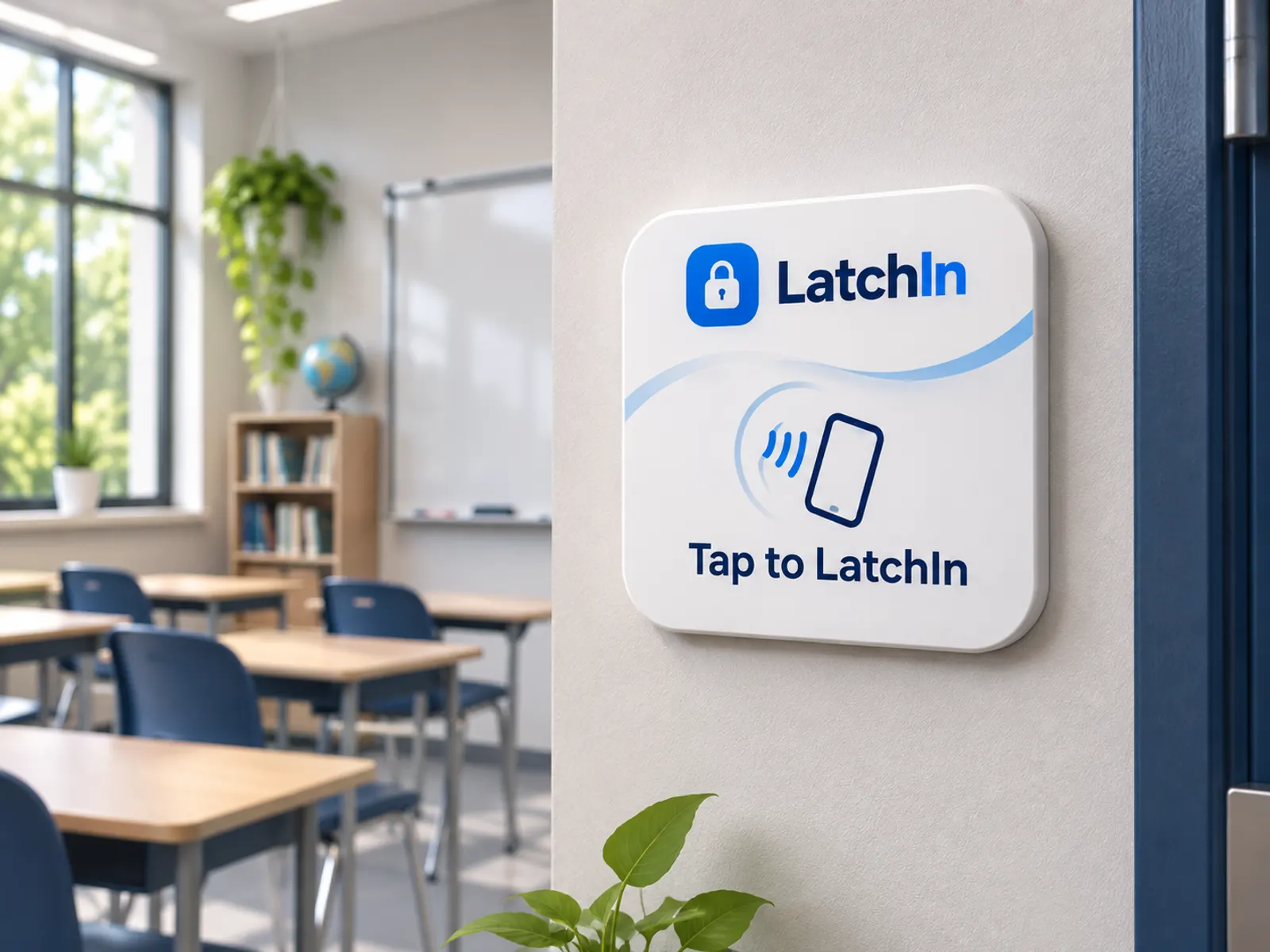
Tap to LatchIn
The LatchIn station, drawn.
- 1
We set up your school.
Accounts come from the school. No public sign-up.
- 2
Teachers build their classes.
Room, time, students, and the apps allowed.
- 3
A station goes by each door.
Passive NFC. Set up once, never charged.
- 4
Students tap in.
They switch on Screen Time once. That’s it.
Prove impact before expanding.
60–90days
Free pilot for qualifying private schools. We measure three things, together.
Attendance
Check-in completion, and manual roll-call minutes.
Focus
Teacher-reported distraction events.
Implementation
Participation, support effort, setup time.
Where we are.
Early build. Validation ahead.
- Built
iOS prototype
NFC check-in + device controls under test.
- Live
Website demo
An interactive presentation of the concept.
- In progress
School outreach
Administrator feedback and pilot talks.
- Next
First pilots
Real school outcomes.
Current prototype
- iOS NFC-triggered flow
- Class-based focus restrictions
- Internal functional tests
Planned
- Teacher dashboard + attendance
- Android and school integrations
- Testing mode and approved-app lists
FAQ
Questions.
What if a student turns off Screen Time?
They can, on a phone they own. The teacher then sees “Lock off since 10:12” on that student’s row.
The student is told their teacher can see it, and the count of times it was turned off stays on the row. It’s spotted the next time LatchIn runs, or at the next spot check.
What if they delete the app?
During class, LatchIn asks the phone to block deleting it. A reinstall needs the teacher’s approval.
The block holds while Screen Time access is on. Turning that off first shows up as “Lock off”. Reinstalling makes the phone look new, so it can’t check in until the teacher approves it.
What if they use a friend’s phone?
It’s refused. Each student has one linked phone.
A new phone needs the teacher’s approval, and one phone can only check in one student per class. Face ID runs at the tap, and the result is on the roster.
What if a student doesn’t have NFC, or a smartphone?
Phones without NFC check in from the app, labelled “no tag”. Students without a smartphone are marked by the teacher.
We plan for both with each school before a pilot starts.
iPhone or Android?
iPhone first; Android is planned. On iPhone, the lock uses Apple’s Screen Time.
Students switch Screen Time access on once. The prototype’s functionality is still being validated, and pilots will tell us what to build next.
What stays available during class?
Calls, emergency services, Messages and Health, always. Plus any apps the teacher allows.
By default the teacher’s allowed list is Calculator, Notes and Classroom.
What data do you collect?
Attendance records, a random phone ID, and whether the lock was on. Never messages, photos, location or browsing.
Also your name, school email and school. No ads and no selling data. Read the privacy policy.
What does a pilot involve?
A few classrooms with a station by each door, for 60–90 days. We agree on what to measure up front.
We set up the school and classes with you and review the results together at the end. See what a pilot looks like.
What does it cost?
Pilots are free for qualifying private schools. After that, pricing is per student per year.
We’ll share pricing in the pilot conversation.